
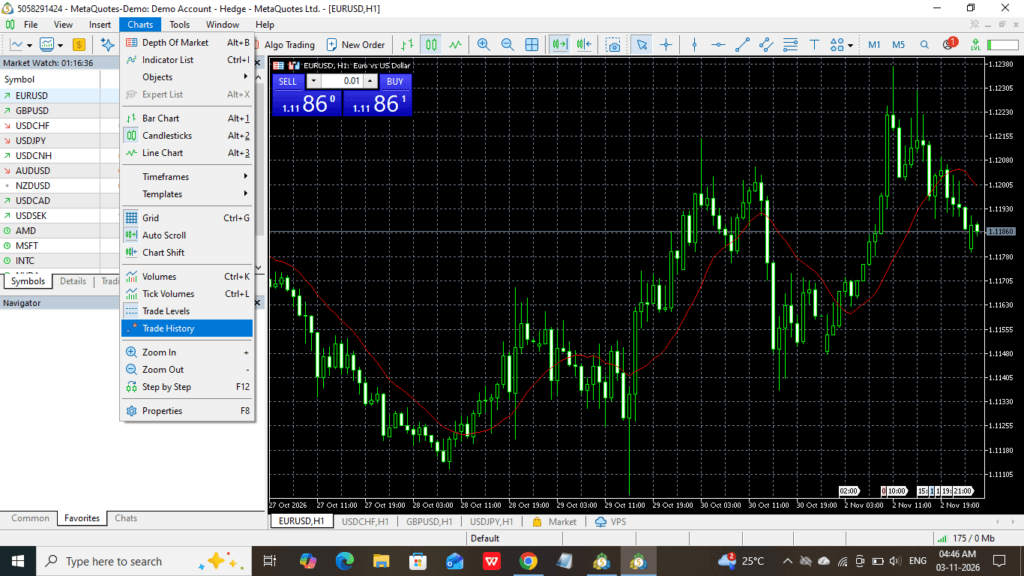
How to set up and configure MT5 (Metatrader 5) for beginner trading explained step by step. Metatrader 5 is the most transparent trading platform for all traders to chart, indicator, and advanced features with connections to broker servers.
MT5 Setup step by step
Go to your browser, and in the search bar, type your keyboard to MT5 or Metatrader 5. Then open results; first click the URL. Then open the window below the type.
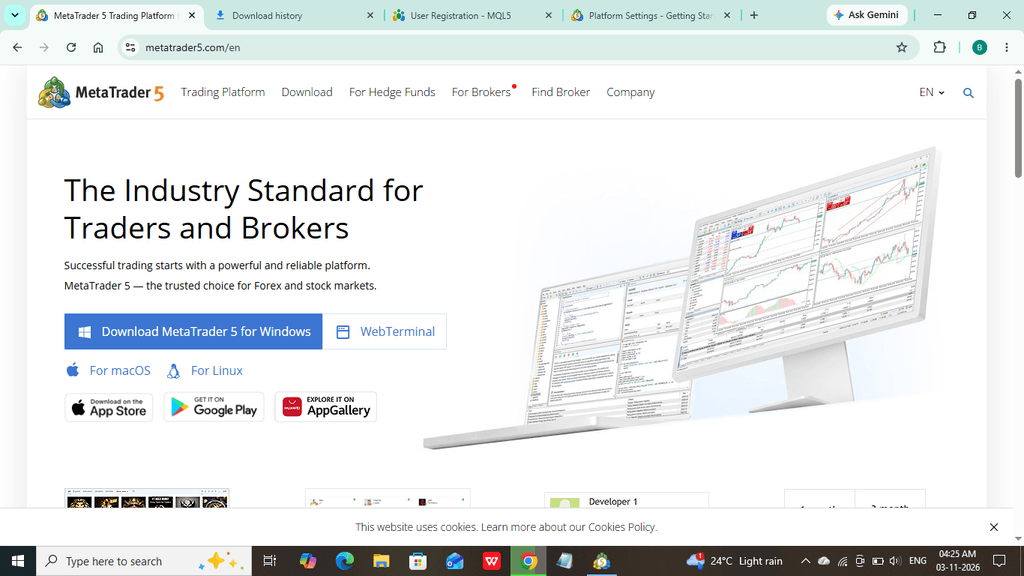
- Click here on the “Download Metatrader 5 for Windows” button. When you click the button, download the file.
- After downloading the file, you can open it. What next? Show the below image.
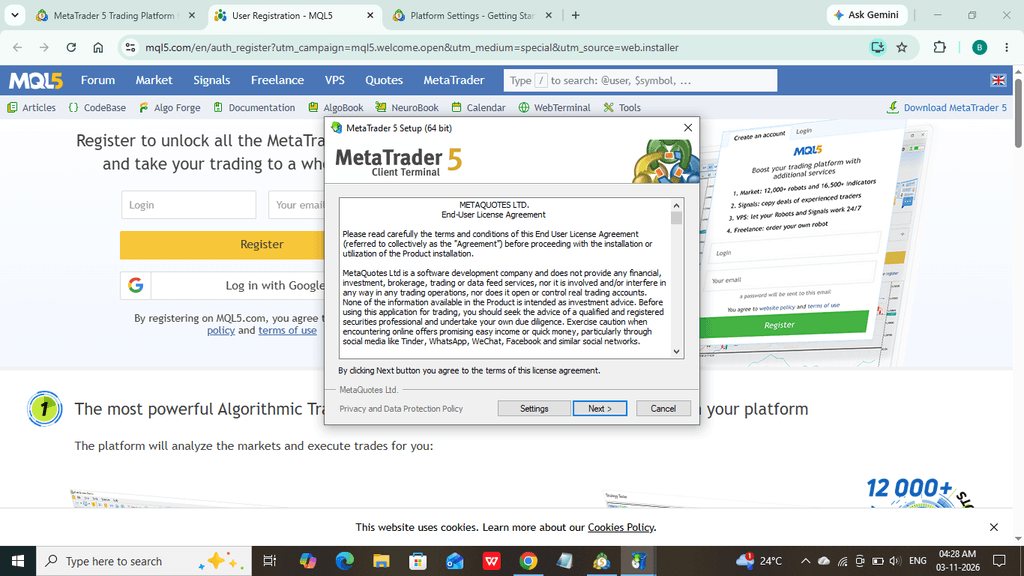
- Click the “Next” button, then go to move forward.
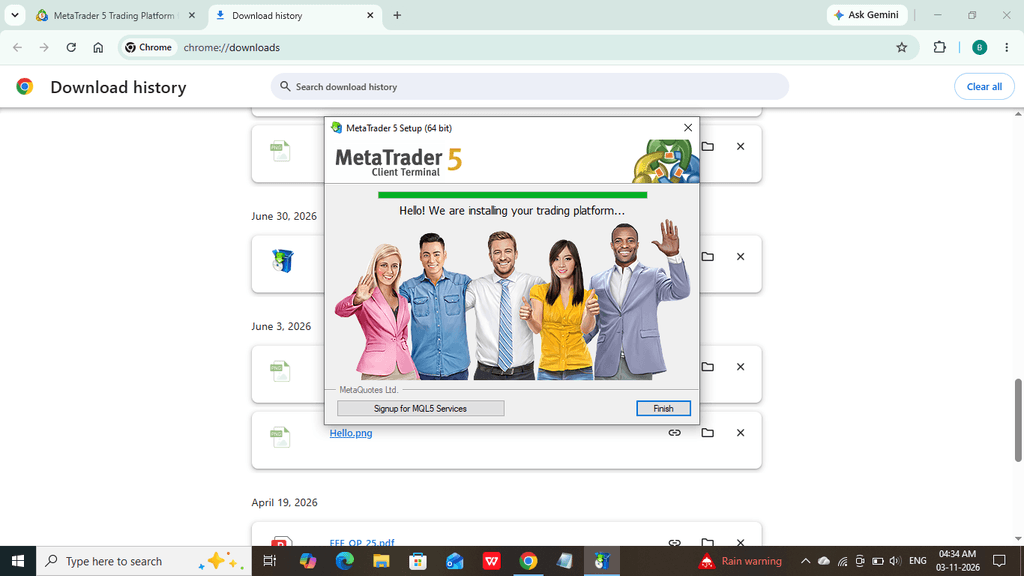
- After loading, click the “finish” button. Then open the MT5 Metatrader 5 installation. For more related category articles, go to Home.
- Metatrader 5 for beginner trading setup below.
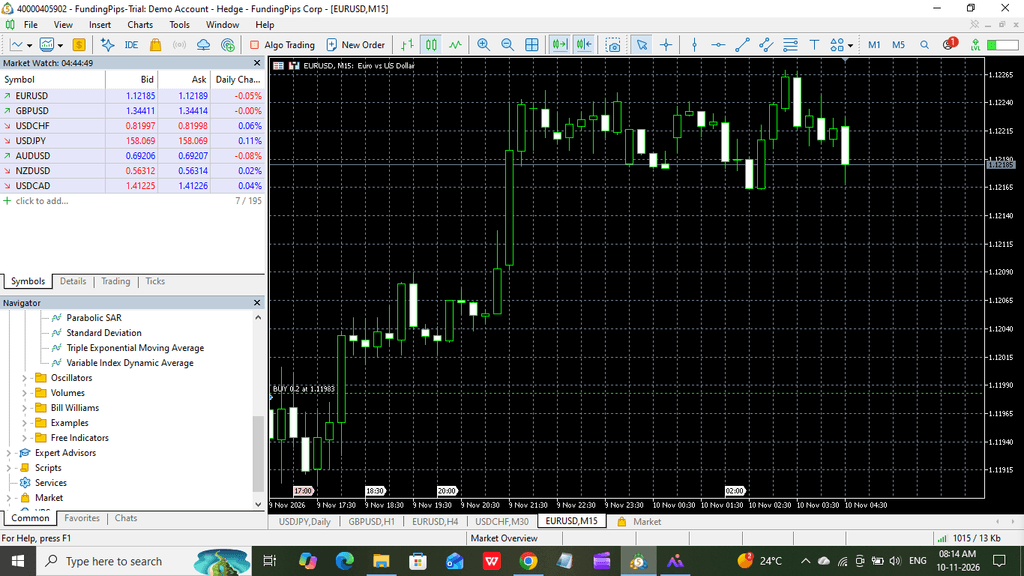
You have completed the MT5 installation and can connect your trading broker account. Firstly, you prepare which broker, like Exness, Fundingpips, iForex, etc. I will explain only one broker connecting to the MT5 account.
How to connect to MT5 for funding pips?
How to connect FundingPips to MT5 on this page. If you don’t have a FundingPips account, you can create and log in to the official website with my CODE: K3D70IP3. After logging in, you has to username and password.
How to create a setup Funding Pip’s account Read the article.
Then how to connect step by step MT5 to the FundingPips account with the screens below (why choose only the FundingPips account)?. Because Indians are not able to use other broker accounts due to the banning of financial rules. If you want to connect other brokers to MT5, comment below.
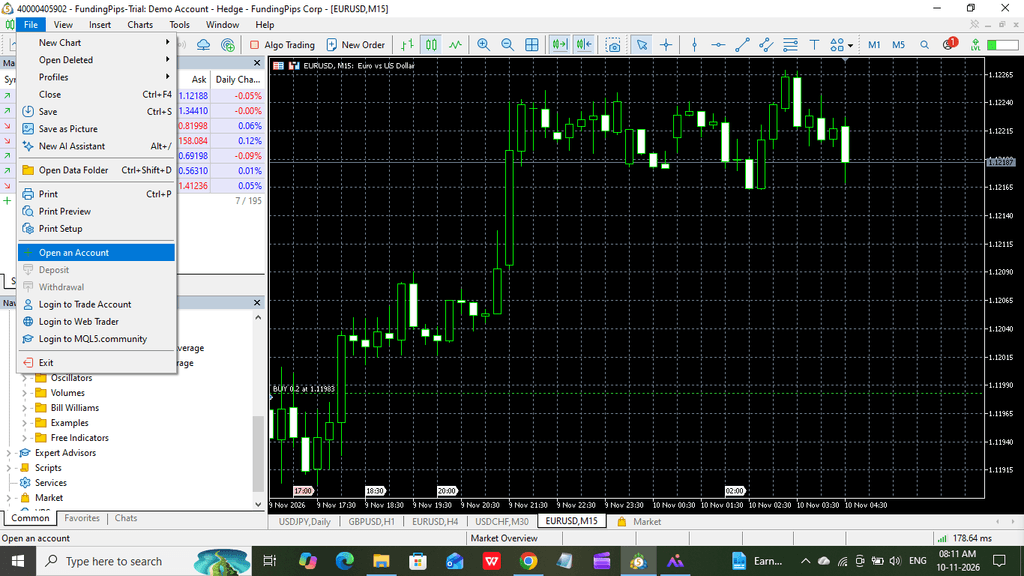
- First get your MT5 window file option, then choose the “open account.” The above image shows clearly.
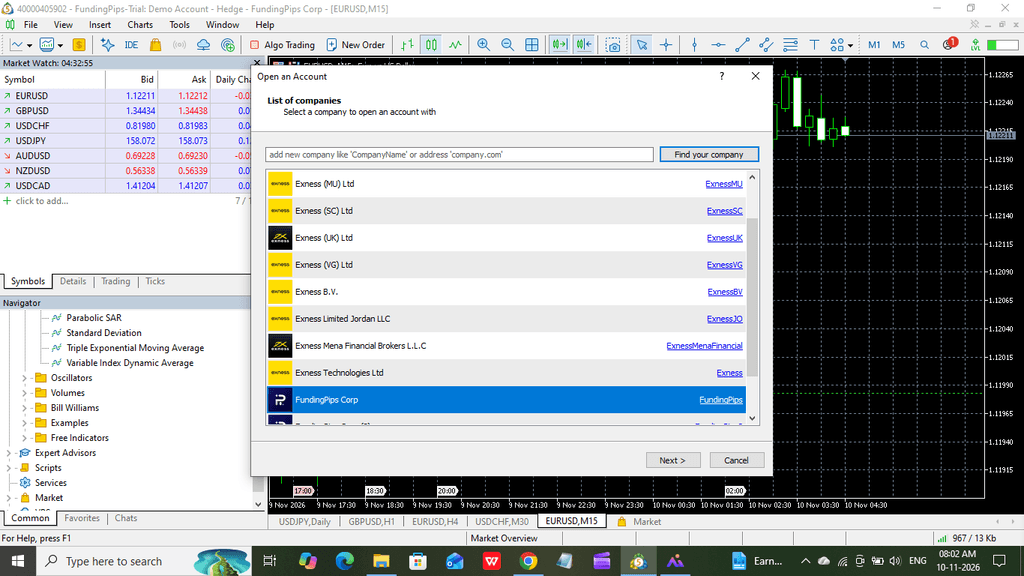
- Search bar to type your broker name, FundingPips, then open your company first, then open Connect It (you can choose a demo or main account after clicking “next“).
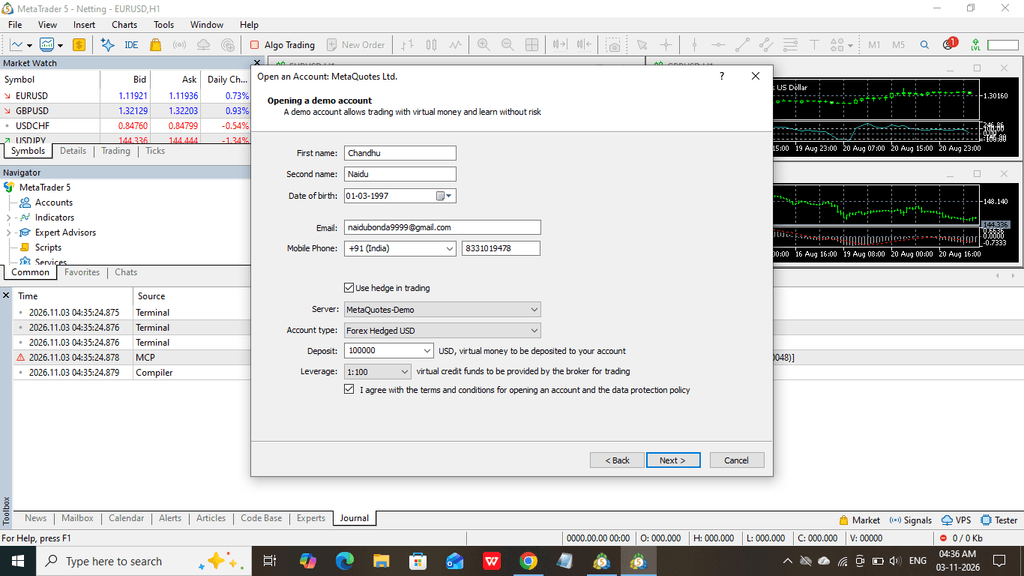
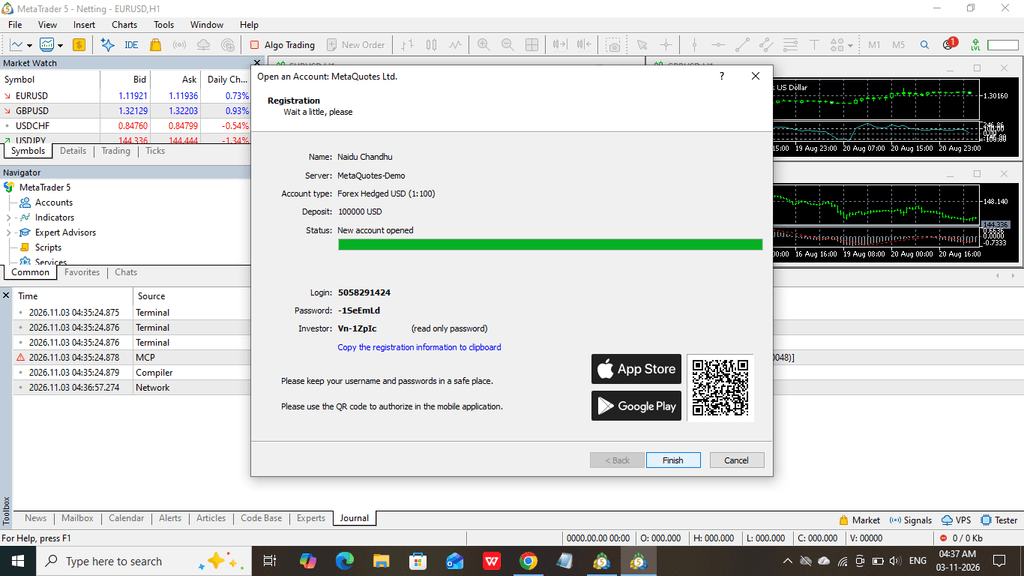
Then don’t change any info; just go to the next step to create your account. Finally, your account is ready to trade your seamless experience.
- Finally, “finish” the setup below the image shown. If you want to get more information for trading MT5, comment below.
Conclusion for MetaTrader 5 for beginner trading
We are explaining how to create an MT5 account and connect with the FundingPips Trail account to start the journey path to financial freedom. If you want any other broker to connect MT5 or create a broker account, leave a comment below.
