
Download an Aadhar card online.
Today, more people require updated Aadhar cards for their own mobiles. This process is very easy for
our anytime to download Aadhar cards. We explain how to download an Aadhar card online in the given steps below.
For this reason, the Aadhar card updates to change the new districts and their revenue villages. Because of Aadhar, updating is mandatory.
Follow the steps on how to download an Aadhaar card online.
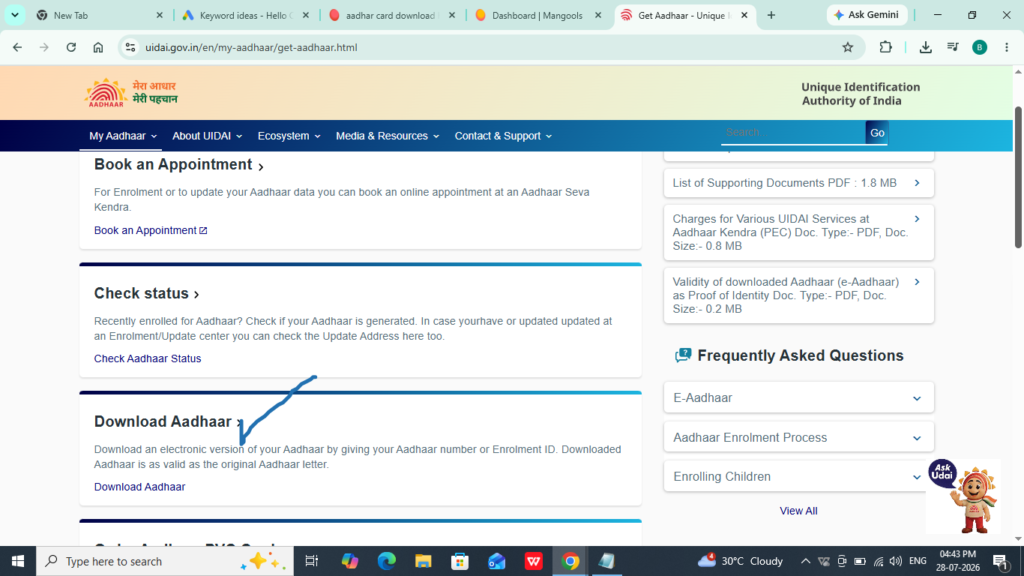
Step 1:
Go to the www.udai.gov.com website and click the link. Download Aadhar.
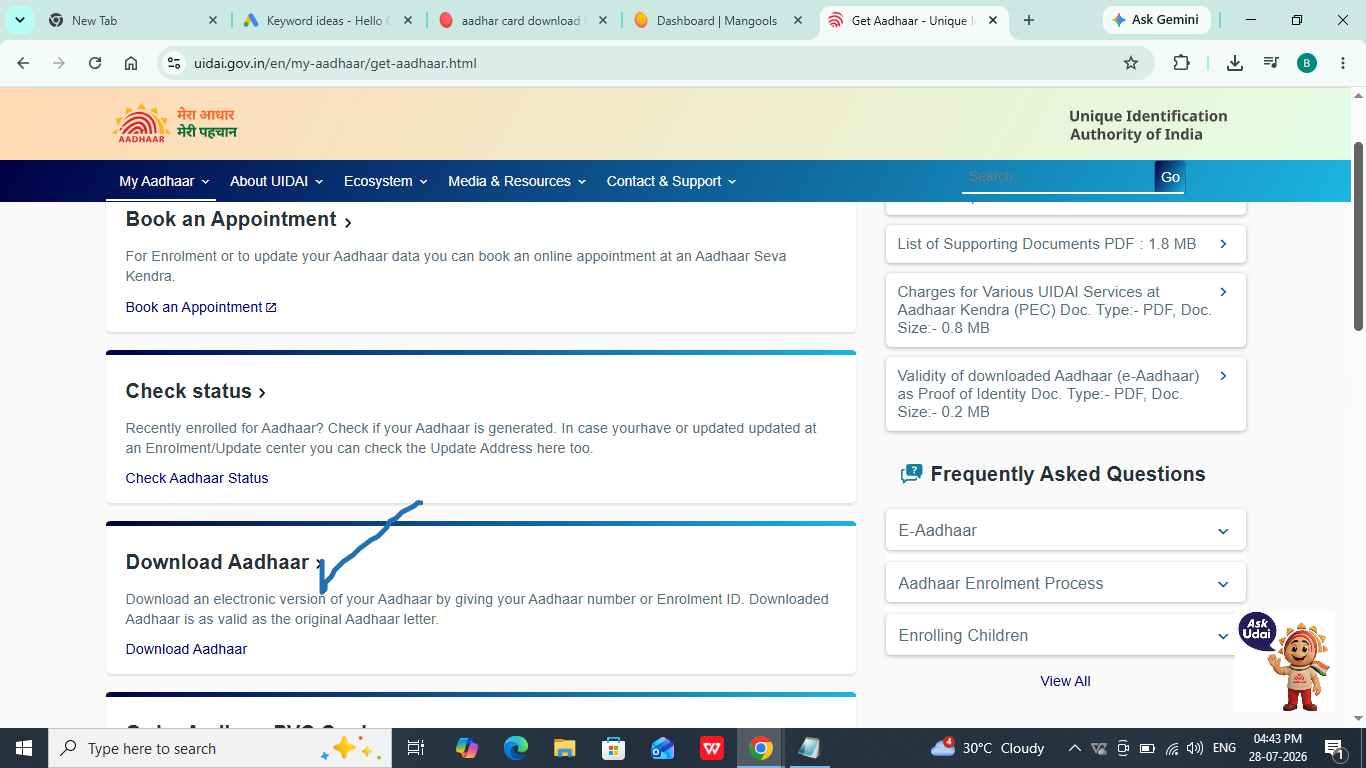
Step 2:
Open the page and scroll down. Click on “Download Aadhar” in the tick mark.
Then open another window.
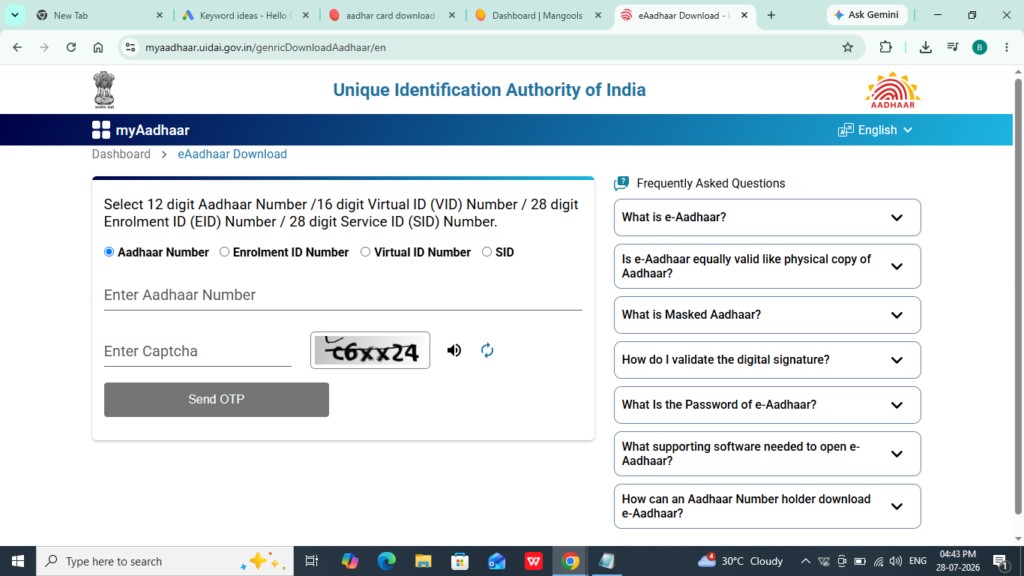
Step 3:
This window shows many types of download options.
1) Use the Aadhar number.
2) enrollment ID number
3) virtual ID number
4) SID
Use your choice to download with your Aadhaar number.
Enter the Aadhar number in the field.
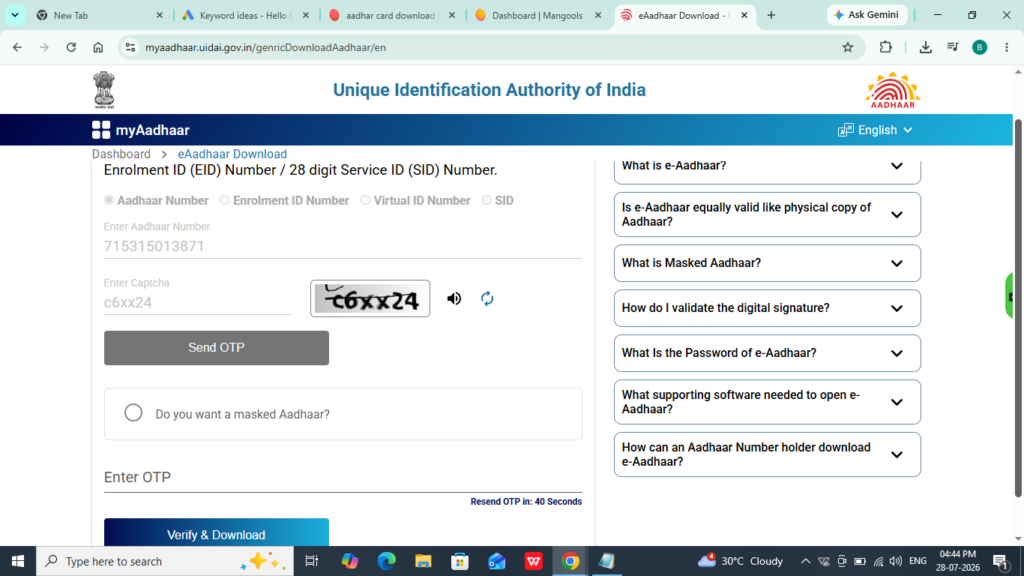
Enter the captcha and click “send OTP.”
Then receive an OTP on your registered number.
And
Enter the OTP, then verify and download.
AFTER DOWNLOADING THE ENCRYPTED FILE
For example:
The name is BONDA NAIDU, and the birth year is 1997. It used to be below. How is this?
Enter the first four letters of your name in capital letters and your birth year.
For example, BOND1997, after clicking ENTER.
For more services, visit our website’s home page. We are providing services of digital marketing. personal finance. how-to tutorials for customer requirements. If you like our content in our blog, subscribe to our newsletter.
Frequently asked questions
Yes, you can change the address on your Aadhar yourself. But a valid address proof upload is required on the udai.gov.in website. And charge the amount 50/- Rs
No, that’s not permitted for any changes to your Aadhar on your own; you have not visited the Aadhar center.
Yes, but biometric or facial scan authentication requires it. It is impossible to obtain an Aadhar card if no one is available.